There are a couple ways to extract map tiles from the various archives - the most popular being MBTiles and PMTiles these days. The best way, though, is using tile-join from felt/tippecanoe:
tile-join -e dir/ input.pmtiles
This will output all tiles as a hierarchy in dir - dir/{z}/{x}/{y}.{ext}. When working with vector tiles, you might need to specify -pC (no tile compression). By default, tiles are compressed in the archive, but if you need the raw tiles in a directory, specifying this option will output the raw, uncompressed files.
Don’t forget to update the KMS Key Policy, too. I spent a bit of time trying to figure out why it wasn’t working, until CloudTrail helpfully told me that the kms:GenerateDataKey permission was also required. Turn it on today, even if you don’t need the auditing. It’s an excellent permissions debugging tool.
I’ve been working on infrastructure of a fleet of a few dozen Amazon EC2 instances for the past week, and with a rapidly-growing team, we decided it was appropriate to make a central authentication / authorization service.
So, that meant setting up some sort of LDAP server.
I was a bit intimidated at first (the most I’ve done is seen people manage and complain about Active Directory), but I finally got it set up. Here are the components:
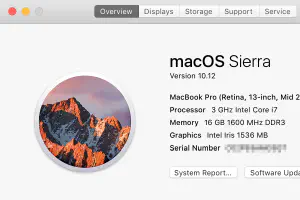
Here are the headline features of Sierra, and my thoughts about them.
Siri
Don’t use it on the phone, won’t use it on the Mac. It would be nice if I could use it by typing, though.
Universal Clipboard
This seems like a massive security risk. It works via iCloud, so if someone (like my daughter) is using my iPad, then it will sync the clipboard to that, too. How do I turn it off?
I stumbled upon Convox a couple weeks ago, and found it pretty interesting. It’s led by a few people formerly from Heroku, and it certainly feels like it. A simple command-line interface to manage your applications on AWS, with almost no AWS-specific configuration required.
An example of how simple it is to deploy a new application:
$ cd ~/my-new-application
$ convox apps create
$ convox apps info
Name my-new-application
Status creating
Release (none)Processes (none)Endpoints
$ convox deploy
Deploying my-new-application
Creating tarball... OK
Uploading... 911 B / 911 B 100.00 % 0RUNNING: tar xz
...
... wait 5-10 minutes for the ELB to be registered ...
$ convox apps info
Name my-new-application
Status running
Release RIIDWNBBXKL
Processes web
Endpoints my-new-application-web-L7URZLD-XXXXXXX.ap-northeast-1.elb.amazonaws.com:80 (web)
Now, you can access your application at that ELB specified in the “Endpoints” section.
It’s been a bit over a month since I installed Linux as my main desktop OS on a PC I built to replace OS X on a (cylinder) Mac Pro. I installed Ubuntu MATE 16.04.
Here are my general thoughts:
Linux has come a far way in 6 years (last time I used it full-time on the desktop).
There are Linux versions of popular software that is vital to my workflows – Firefox, Chrome, Dropbox, Slack, Sublime Text, etc.
Elixir’s Getting Started guides go over the &Module.function/arity and &(...) anonymous function shorthand, but there are a couple neat tricks that are not immediately apparent about this shorthand.
In the beginning of 2015, I wrote a blog post about how my then-current programming language of choice (Ruby) was showing itself to not be as future-proof as I would have liked it to be.
A lot has changed since then, but a lot has remained the same.
First: I have started a few open-source Elixir projects:
Exfile -- a file upload handling, persistence, and processing library. Extracted from an image upload service I’m working on (also in Elixir).
The initial push to get me in to Elixir was indeed its performance, but that’s not what kept me. At the same time, I also tried learning Go and more recently, Rust has caught my attention.
In my 5-minute lightning talk, I talked about the basics of using Exfile. Exfile is a file upload persistence and processing library for Elixir with integrations for Ecto and Phoenix.
I’m a big Let’s Encrypt fan. They provide free SSL certificates for your web servers so you can protect the traffic from prying eyes. In fact, the connection between your web browser and my blog server is made private thanks to Let’s Encrypt.
Using Let’s Encrypt requires some setup and automation on your part if you want to use it in the AWS cloud, but AWS recently launched something called the AWS Certificate Manager or “ACM”. ACM takes care of issuing, renewing, and provisioning certificates for you – which is great because uploading SSL certificates to CloudFront and Elastic Load Balancers is not the most fun thing to do. I would pay for this, but Amazon has decided to give it to everyone for free. :-)